How to Develop a Custom Mobile App Using Salesforce?
Learn how to add AI to your CRM, improve customer insights, automate repetitive tasks, and help your teams make smarter decisions.

Learn how to add AI to your CRM, improve customer insights, automate repetitive tasks, and help your teams make smarter decisions.
Mobile applications have become an important part of modern business operations. Sales teams, field employees, customers, partners, and service teams increasingly expect access to business information from anywhere.
For organizations already using Salesforce, building a separate mobile application from scratch is not always necessary. Salesforce provides tools and APIs that allow businesses to create custom mobile applications connected directly with Salesforce CRM data and workflows.
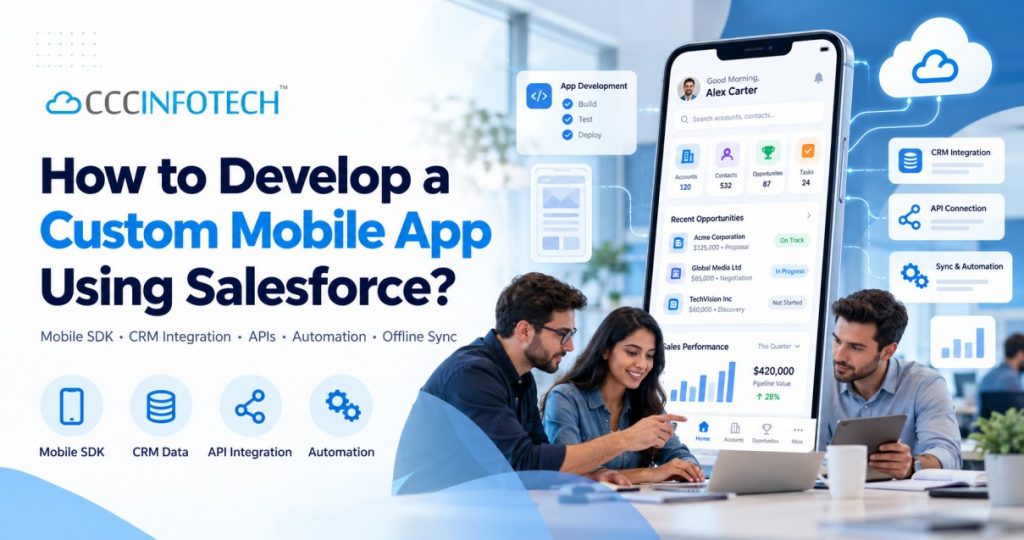
Salesforce supports both customization of the standard Salesforce mobile app and development of standalone mobile apps using Salesforce Mobile SDK. Custom apps can be built for iOS, Android, React Native, and hybrid environments, while still using Salesforce authentication, APIs, data, and offline capabilities.
In this guide, we explain how to develop a custom mobile app using Salesforce, the technologies involved, key development steps, and important considerations before getting started.
A custom Salesforce mobile app is a mobile application designed around specific business requirements while using Salesforce as part of the backend platform.
For example, a company could create:
The mobile interface can be completely customized while Salesforce manages information such as accounts, contacts, leads, opportunities, cases, orders, and custom objects.
Salesforce Mobile SDK is specifically designed to help developers build standalone mobile applications that interact securely with Salesforce Platform.
Before development begins, businesses should decide whether they actually need a separate application.
Salesforce Mobile App
The standard Salesforce mobile app is usually suitable when employees primarily need mobile access to existing Salesforce functionality.
It can be customized using Salesforce configuration tools, Lightning Web Components, and supported Salesforce development technologies.
Custom Salesforce Mobile App
A custom app is more appropriate when the business requires:
Salesforce Mobile SDK allows standalone applications to be distributed through normal mobile application channels while connecting securely to Salesforce.
The first step is understanding exactly what the mobile application needs to achieve.
Before choosing technologies, identify:
For example, a field sales application might require representatives to:
Clearly defining these requirements helps determine the right Salesforce mobile architecture.
Salesforce Mobile SDK supports multiple approaches for custom mobile development.
These include:
Salesforce documentation recommends selecting the development approach based on your team’s skills, device requirements, functionality, and project goals.
Native Mobile Apps
Native applications are built specifically for iOS or Android.
They are useful when applications require:
React Native Apps
React Native can be useful when businesses want to maintain a largely shared codebase while supporting both iOS and Android.
Salesforce Mobile SDK provides bridges that allow React Native applications to interact with Salesforce capabilities.
Hybrid Applications
Hybrid applications combine web technologies with a mobile container.
They can be useful when development teams already have strong HTML and JavaScript expertise.
Before your mobile application can communicate with Salesforce, the Salesforce environment needs to be configured correctly.
This typically includes:
One important recent change is that Salesforce now recommends External Client Apps for new Mobile SDK integrations. Creation of new Connected Apps became restricted beginning with Spring ’26, although existing Connected Apps can continue operating.
Security is a critical part of Salesforce mobile app development.
The application must securely authenticate users before allowing them to access Salesforce information.
Salesforce Mobile SDK provides support for Salesforce authentication and OAuth credential management.
Authentication can help ensure that:
Proper permission design is especially important for customer-facing and partner-facing mobile applications.
The next step is connecting the application with Salesforce data.
Salesforce provides REST APIs that allow mobile applications to interact with Salesforce records.
For example, the mobile app can:
Salesforce → Account → Contact → Opportunity
Mobile App → New Lead → Salesforce
Mobile App → Opportunity Update → Salesforce
Mobile App → Customer ID → Salesforce Case History
Salesforce Mobile SDK includes wrappers that simplify interactions with Salesforce REST APIs.
A good CRM application should not simply reproduce a desktop Salesforce screen on a smaller device.
Mobile users typically need faster and simpler interactions.
For example, instead of displaying 40 fields on a lead record, a field sales application may show only:
Good mobile application design should prioritize:
For customer-facing applications, businesses can also fully customize branding and user experience.
Offline functionality can be extremely valuable for employees working in locations with unreliable internet connectivity.
Salesforce Mobile SDK provides secure offline storage through SmartStore and synchronization through Mobile Sync.
For example, a sales representative could:
This can be especially useful for:
One advantage of developing a custom mobile application is the ability to use smartphone features.
Depending on the business use case, the application may use:
For example, a field inspection application could use:
GPS + Camera + Salesforce
The employee visits a location, captures images, records coordinates, and saves the information directly to Salesforce.
This creates a much richer workflow than traditional CRM data entry.
A custom Salesforce mobile app can also trigger existing Salesforce business processes.
For example:
A representative updates an opportunity in the app.
↓
Salesforce Flow checks the opportunity value.
↓
Approval process starts.
↓
Manager receives notification.
↓
Opportunity record is updated.
The mobile application therefore becomes another interface for existing Salesforce automation.
Businesses can combine mobile development with:
This keeps business logic centralized rather than duplicating it inside every application.
Testing is essential before deployment.
The application should be tested across areas such as:
Both iOS and Android environments should be tested independently when the application supports both platforms.
Once development and testing are complete, businesses can deploy custom Mobile SDK applications through channels such as:
Salesforce confirms that standalone Mobile SDK applications can be distributed through standard mobile app stores.
Deployment strategy will depend on whether the application is designed for:
A custom Salesforce mobile application can offer several advantages.
Users can access customer information directly from Salesforce.
Employees can update Salesforce without returning to a desktop computer.
Information can be captured immediately instead of being entered later.
Businesses can design the interface around specific roles and workflows.
Salesforce Mobile SDK supports secure offline storage and synchronization.
The mobile app can work with existing Salesforce objects, automation, workflows, and APIs.
The solution can evolve as business requirements grow.
Consider a company with 100 field sales representatives.
Without a mobile application, sales representatives might:
Visit customer → take notes → return to office → update CRM.
With a custom Salesforce mobile application:
Login → View Today’s Visits → Navigate to Customer → Record Visit → Capture Photo → Update Opportunity → Schedule Follow-Up → Sync With Salesforce
Managers can then see the updated information in Salesforce without waiting for manual reporting.
This illustrates how Salesforce mobile app development can connect employees directly with CRM workflows.
Depending on project requirements, the technology stack may include:
Salesforce Platform
Mobile Development
Integration
Security
Developing a production-ready mobile application involves more than creating screens.
Businesses need to consider:
Working with an experienced Salesforce consulting partner can help organizations design an application that fits both their Salesforce environment and mobile business requirements.
Salesforce can serve as a powerful backend platform for developing custom mobile applications.
Using Salesforce Mobile SDK, REST APIs, Salesforce automation, secure authentication, and offline capabilities, businesses can create mobile experiences for employees, customers, and partners while continuing to use Salesforce as their central CRM platform.
The key is to begin with the business process rather than the technology.
Businesses should first determine what users need to accomplish on mobile and then design the Salesforce architecture, user experience, integrations, and automation around those requirements.
With the right approach, a custom Salesforce mobile app can turn CRM data into a practical tool employees and customers can use anywhere.